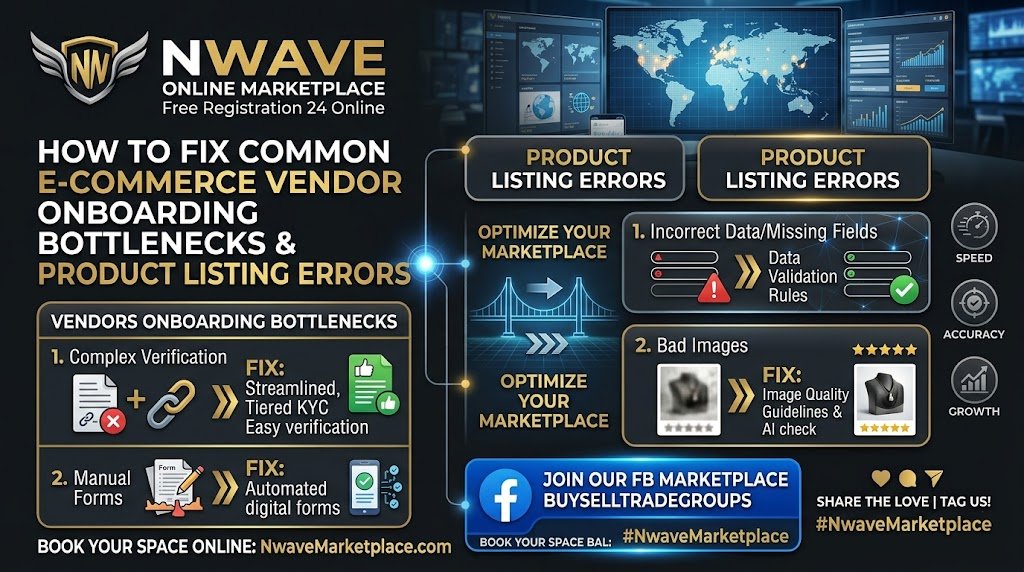
Launching a multi-vendor store or scaling your online shop should be seamless, but onboarding hurdles and listing errors can stall sales before you even begin. Use this step-by-step troubleshooting guide to quickly fix common setup issues, optimize product pages, and streamline vendor approvals.
1. Fixing Account Setup & Verification Bottlenecks
- Incomplete Vendor Profiles: Ensure all mandatory registration fields—including business name, tax details, contact email, and payout settings—are filled out entirely before submitting for admin review.
- Payment Gateway Authorization Errors: Double-check connected payment gateways (Square, PayPal, Zelle info) to confirm API keys and payout emails are active and verified.
- Store URL & Domain Conflicts: Verify that store slugs do not contain special characters, spaces, or duplicate names already registered in the marketplace system.
- Email Verification Failures: Check spam and junk folders for automated account confirmation emails, or whitelist the site domain to ensure operational updates reach your inbox.
2. Resolving Product Listing & Media Errors
- Image Upload Failures: Ensure product images are saved in standard formats (JPG, PNG, or WebP) and kept under 2MB per image to prevent server timeout errors.
- Incorrect Category Tagging: Map products to the most accurate primary and secondary categories so shoppers and site search engines can discover them immediately.
- Digital Download File Access: For downloadable guides and digital products, verify that file attachments (PDFs, ZIPs) are correctly uploaded to secure media paths with unrestricted download permissions.
- Missing SKU or Inventory Counts: Always assign unique SKUs and explicit inventory numbers to prevent products from showing as “Out of Stock” immediately upon publishing.
3. SEO & Formatting Fixes for Higher Conversions
- Broken Product Descriptions: Avoid raw text copy-pasted directly from rich editors; use clean plain text formatting or standard HTML tags to prevent broken layout styling on live product pages.
- Missing Meta Titles & Descriptions: Fill out key SEO fields—including long-tail search keywords—to ensure product listings rank effectively on search engines like Google.
- Unclear Pricing & Variations: Explicitly set base prices and verify attribute variations (size, color, file format) before enabling variable product options.
- Draft Status Stays Stuck: Check if your vendor platform requires manual administrator approval for new product listings prior to public publishing.
Raw Links & Community
- Explore Marketplace & Vendor Tools: https://nwave.online/
- Join Our Facebook Marketplace Community: https://www.facebook.com/groups/buyselltradegroups1/
Share & Social Tags
Please share this guide with vendor partners, online store managers, and e-commerce entrepreneurs!
Tags: #ECommerce #VendorOnboarding #OnlineMarketplace #ProductListingFix #ECommerceTroubleshooting #NwaveOnline #Nwave #StoreSetup #SmallBusinessTools #DigitalMarketplace
